Car & Truck Repair Database: Wiring Diagrams, Repair Data & SmartPACK for Workshops
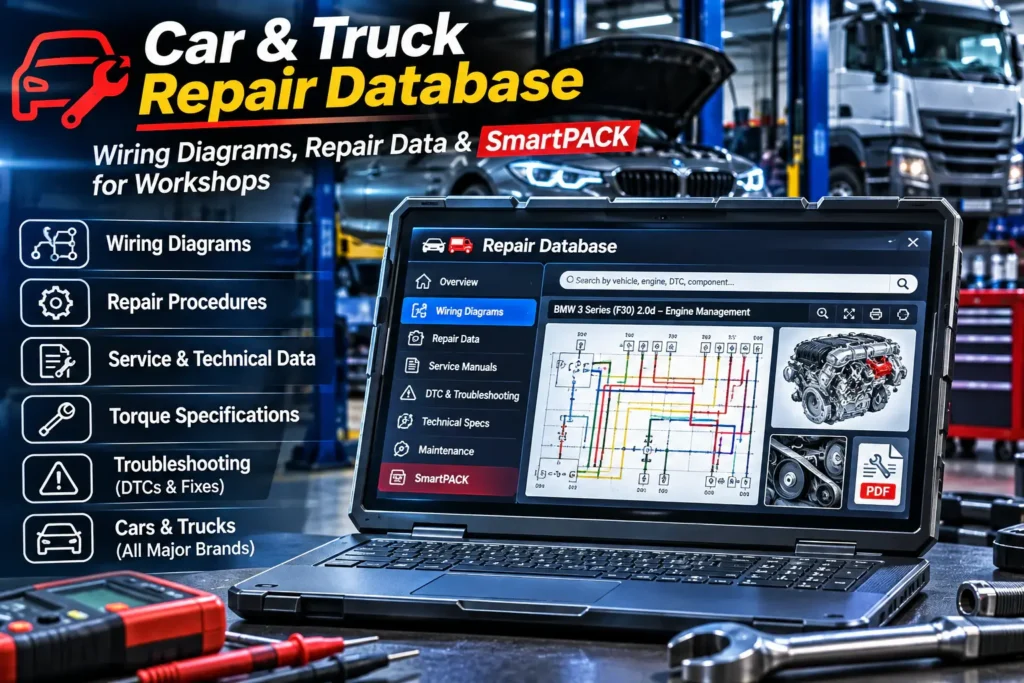
Your scan tool just gave you a fault code. Now the slow part starts: finding the wiring diagram for that circuit, the connector pinout, the torque spec – and working out whether this is a known problem on this exact model. The forums disagree, and the PDF manual you found covers the wrong engine.
That is the gap a professional repair database fills: vehicle-specific technical information for cars, trucks, hybrids and EVs in one system. Below we look at what the car and truck repair database in our shop contains, which workshops get the most out of it, and how to check coverage before you pay anything.
Why a scan tool alone is not enough
A diagnostic tool answers one question: what did the control unit report? To actually find and fix the cause, a technician needs something else entirely – how the circuit is wired, what voltage belongs on which pin, where the component sits, what the bolts are torqued to and which special tool removes the part.
Without that information, diagnosis turns into guesswork and parts get swapped “just in case”. With it, the job becomes a clear sequence: fault code → wiring diagram → measurement → repair to procedure.
Scan tool and repair database work as a pair. The scanner shows you the symptom. The database shows you the path to the cause and how to repair it properly.
What the database contains
Illustrated instructions for engine, timing chain and belt, clutch, brakes, suspension and body.
Engine management, ABS/ESP, airbags, lighting, comfort systems, starting and charging.
ECUs and connectors, wire colours, voltages, reference values and component locations.
Tightening sequences, technical values, fluid capacities and required special tools.
Service intervals, inspection points and maintenance requirements per vehicle.
DTC lookup with the related technical information.
Standard times and calculation data for planning jobs and writing quotes.
Quick lookup and location of key components.
Vehicle selection is precise: by manufacturer, model range, model, engine version, engine code or KBA number. Alongside the European brands, many Asian and other international manufacturers are covered too.
SmartPACK™: known faults, recalls and bulletins
For diagnosticians, the most valuable part is often SmartPACK™. It brings manufacturer information and real workshop experience for the selected vehicle into one place:
- SmartCASE™ – typical faults and documented cases from workshops, covering engine, transmission, electronics and driver assistance systems;
- recall campaigns – affected components and the relevant production periods;
- technical service bulletins – known issues, customer complaints and the manufacturer’s fixes.
Everything can be filtered by vehicle system, fault code and type of defect. In practice, that means checking in one minute whether a problem is already known for this model – before spending an hour with a multimeter. The amount of SmartPACK™ information depends on the specific vehicle.
Trucks and commercial vehicles
The full version includes a dedicated section for trucks and commercial vehicles – not just light vans. Supported manufacturers include DAF, Ford Trucks, Isuzu, Iveco, MAN, Mercedes-Benz, Mitsubishi Fuso, Renault Trucks, Scania and Volvo Trucks.
| Selection criteria | Examples |
|---|---|
| Vehicle type | Tractor units, chassis cabs, tippers, concrete mixers and more |
| Axle configuration | 4×2, 4×4, 6×2, 6×4, 6×6 and various 8x configurations |
| Unit | Truck, trailer or axle – each selectable separately |
| Technical data | Engine code, displacement, power, model year, vehicle type and weight |
For the selected truck you get repair procedures, maintenance data, engine and brake system information, electrical data and wiring diagrams. On a MAN TGS/TGX, for example, you can pinpoint the exact variant, axle configuration, engine version and body type. For workshops and fleet operators that handle both cars and heavy vehicles, that means one database instead of two.
Hybrids and electric vehicles
For supported hybrids and EVs, the database includes data on electric drive systems and high-voltage components. Depending on coverage, that can include battery disconnection and reconnection procedures and instructions for safely de-energising the high-voltage system – for example on the Mercedes-AMG GT 63 S E Performance (X290).
Safety note: work on high-voltage systems must only be carried out by appropriately qualified technicians. The database gives you the procedure – not the qualification.
Real example: BMW M3 timing chain
For the BMW M3 Competition xDrive (G80, S58B30A engine), the database contains a detailed removal and installation procedure for the timing chain. Depending on the available documentation, that covers:
- Safety instructions before you start.
- The chain layout and the individual work steps.
- Torque values for each fastener.
- The special tools you need – known before the engine is half apart.
The electronics section for the same car can also show engine ECU information: connector pins, wire colours and target voltages.
Who it pays off for
- Independent multi-brand workshops – instead of piecing together forum threads and scattered PDFs.
- Diagnostic specialists and auto electricians – diagrams, pinouts and reference values at hand.
- Truck workshops and fleet maintenance – a full commercial vehicle section in the same system.
- Service managers – labour times make quotes more accurate and jobs easier to plan.
Save one hour of searching per week and the database pays for itself faster than you’d think. More importantly: fewer wrongly replaced parts and fewer comebacks.
If you’re still choosing the scan tool to pair it with, our guide to ECU coding vs programming explains which tool level you need for which job.
View the repair databaseFree trial before you buy
Coverage and level of detail vary by manufacturer, model, model year and engine version. That’s why we offer a free trial version on request: you check whether your vehicles and the information you need are in there, and see how it works in daily use – before you pay.
Send us the make, model, year and engine of the vehicles you work on most, and we’ll help you check coverage.
Frequently asked questions
Does the database include wiring diagrams?
Yes. For supported vehicles, wiring diagrams are available for individual systems, along with pinouts, wire colours, measured values and component locations.
Are repair procedures and torque specs included?
Yes, depending on the vehicle: illustrated procedures, individual work steps, torque values, adjustment data and the special tools required.
Are trucks and commercial vehicles covered?
Yes. The full version has a separate section for trucks and commercial vehicles, including DAF, Ford Trucks, Isuzu, Iveco, MAN, Mercedes-Benz, Mitsubishi Fuso, Renault Trucks, Scania and Volvo Trucks.
What is SmartPACK™?
A collection of information for the selected vehicle: known faults and SmartCASE™ cases, recall campaigns and technical service bulletins.
Can I search by fault code?
Yes. The database supports DTC lookup and shows the technical information linked to each code.
Can I try it before buying?
Yes. A free trial version is available on request so you can check vehicle coverage and functions first.
Let’s check your vehicles in the database
Tell us which makes and models you work on most – cars, vans or trucks. We’ll check coverage and set you up with trial access.
Request a free trialMore workshop software in our software category.
